
#003
From tiny miner to Bitcoin dashboard
An old NM Miner was still lying around at home. Instead of leaving it unused, I gave it a second life. Beneath the miniature mining role, it was essentially an ESP32 board with a display: a good starting point for something new.
The former mini miner became a small, permanently running Bitcoin mining dashboard. It gives me the information I want at a glance, without needing to open a browser, phone app or several separate miner interfaces.
Building it without being a professional programmer
I do not have professional programming skills, just a little self-taught C and Java. In my original post, I mentioned “C for Dummies” and the German Java book “Java ist auch nur eine Insel” as books I had found useful.
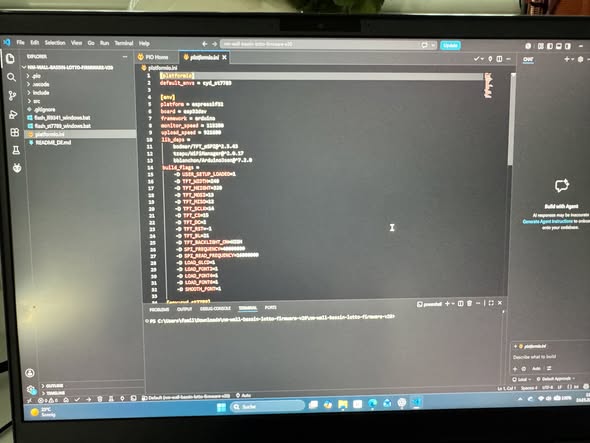
With Visual Studio Code, trial and error, flashing, some swearing, adjustments and final fine-tuning, the little device eventually ran the way I wanted. Curiosity and patience mattered more than having a perfect plan from the start.
Page 1: my local mining orchestra
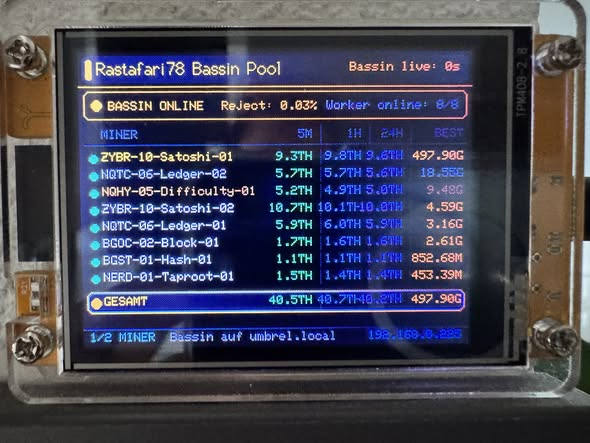
The dashboard queries my Bassin Pool on Umbrel every 15 seconds. The first page shows whether Bassin is online, how many workers are active and the hashrate of each individual miner. It includes 5-minute, 1-hour and 24-hour values, the best difficulty per miner, total hashrate, reject rate and the connection to my local Umbrel/Bassin instance.
All miners are listed clearly, from the Zyber to the NerdQaxe and Bitaxe devices. I can immediately see which units are working and how their values look. The small display tells me whether my home-mining orchestra is still playing.
Page 2: Bitcoin lottery and network data
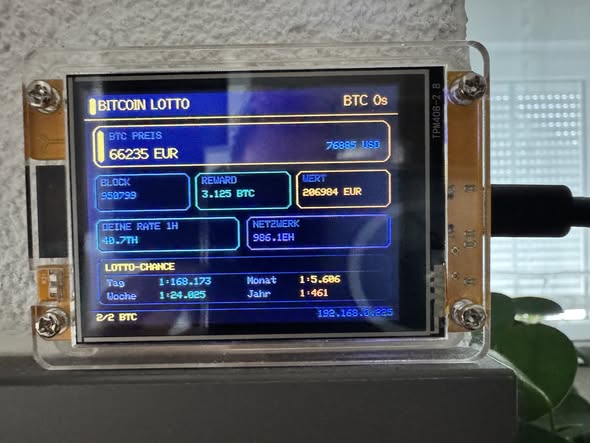
The second page also retrieves data from mempool.space: the BTC price, current block height, block reward, my own hashrate and the global Bitcoin network hashrate. From those values it displays my personal solo-mining chances.
The probabilities are brutally small, and that is part of the fascination. The numbers on the photographed screen are snapshots from the original project, not today’s Bitcoin price, network conditions or a guaranteed forecast.
Read-only by design
The dashboard does not control the miners or change their settings. It only reads data. This was important because Bassin runs on my Umbrel, and I did not want a small DIY device accidentally changing anything.
The result is a read-only display for my local Bitcoin mining setup. Turning a former 1 MH/s mini miner into a small overview station feels far more useful to me than leaving it in a drawer.
What I learned
You do not always need perfect programming skills to build something useful. Curiosity, patience, VS Code, research and some help from ChatGPT can get you surprisingly far. The project combines the things I enjoy: small displays, ESP32 hardware, open source and understanding my own mining setup.
Other experiments mentioned in the original post
At the time, warmer temperatures and higher fan speeds had also led me to renew the thermal paste on three miners: a Bitaxe, a Bitaxe Overclocker Edition and a NerdQaxe Hydro. In the original post I reported a noticeable improvement in temperatures and fan behaviour. A detailed, separate test was still to follow.
I also announced a TinyChipHub NerdQaxe++ Remastered review, with a small test setup for wall power, W/TH, board-reported values against an external meter, cooling and stability. Those were announced topics; this dashboard article does not present missing results as completed tests.
For me, this project is not about squeezing out the maximum TH/s per euro. It is about making existing hardware useful, learning something new and seeing my setup work. Aloha and happy hashing!