
#006 / HOME-MINING
5tratumOS: my mining crew gets a control room
My miners have names, personalities and occasionally their own ideas about the daily schedule. A tidy control room feels like a good match. Here is my second node and mining corner, built around WillItMod’s 5tratumOS. The hashes do the work; I handle the coffee.
This is a tour of my own setup and my impression of its interface. The screenshots show 5tratumOS 0.8.28 BETA. Every figure is a snapshot; this website has no live connection to my devices.
The control room wears silver
My 5tratumOS setup runs on a Raspberry Pi 5 with 16 GB of RAM and a 2 TB SSD. The little computer lives in a smart silver aluminium case and runs well in my everyday use. Small on the desk, plenty of room for the node crew, and considerably better dressed than I am before the first coffee.
The front is engraved with “Tick, Tock, next Block”. If only! The case has already put in its order for the next block. While we wait for delivery, the Pi runs my nodes and pools; the actual hashing is still the miner crew’s job.
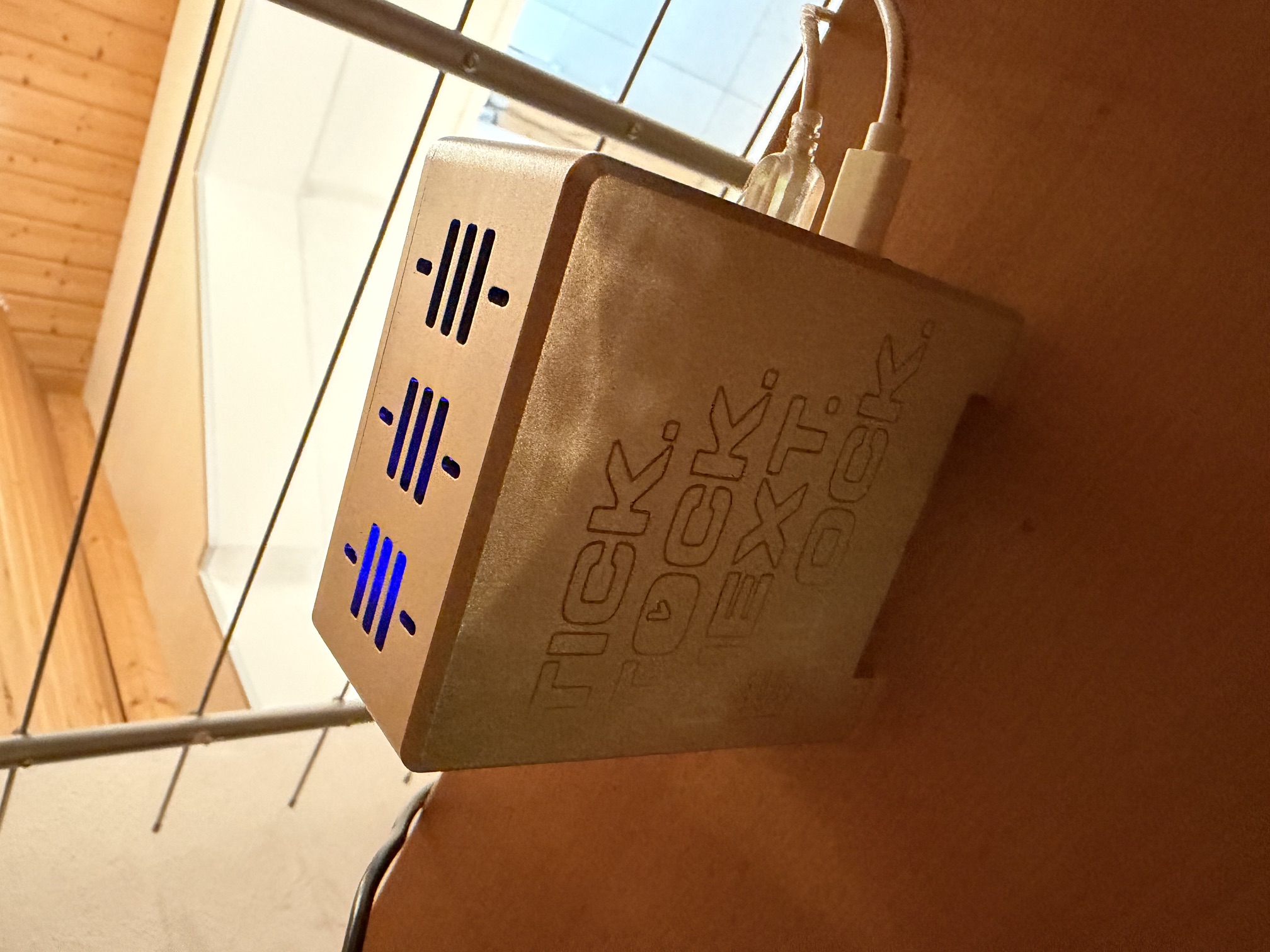
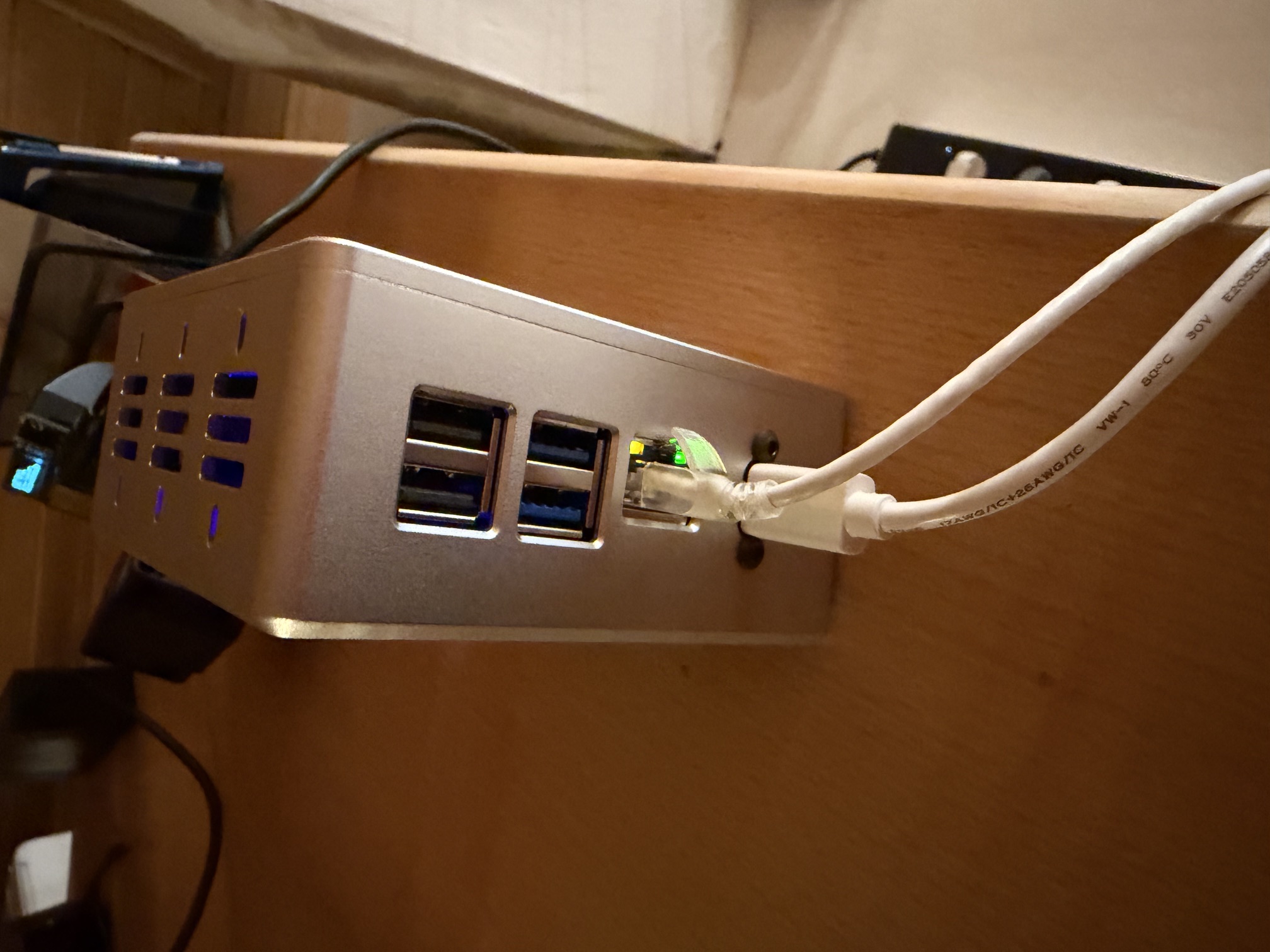
Four USB ports give this little box a pleasantly sociable side. The side photo shows both pairs of USB sockets and the connected network cable. My compact control room certainly does not need to hide behind the desk.
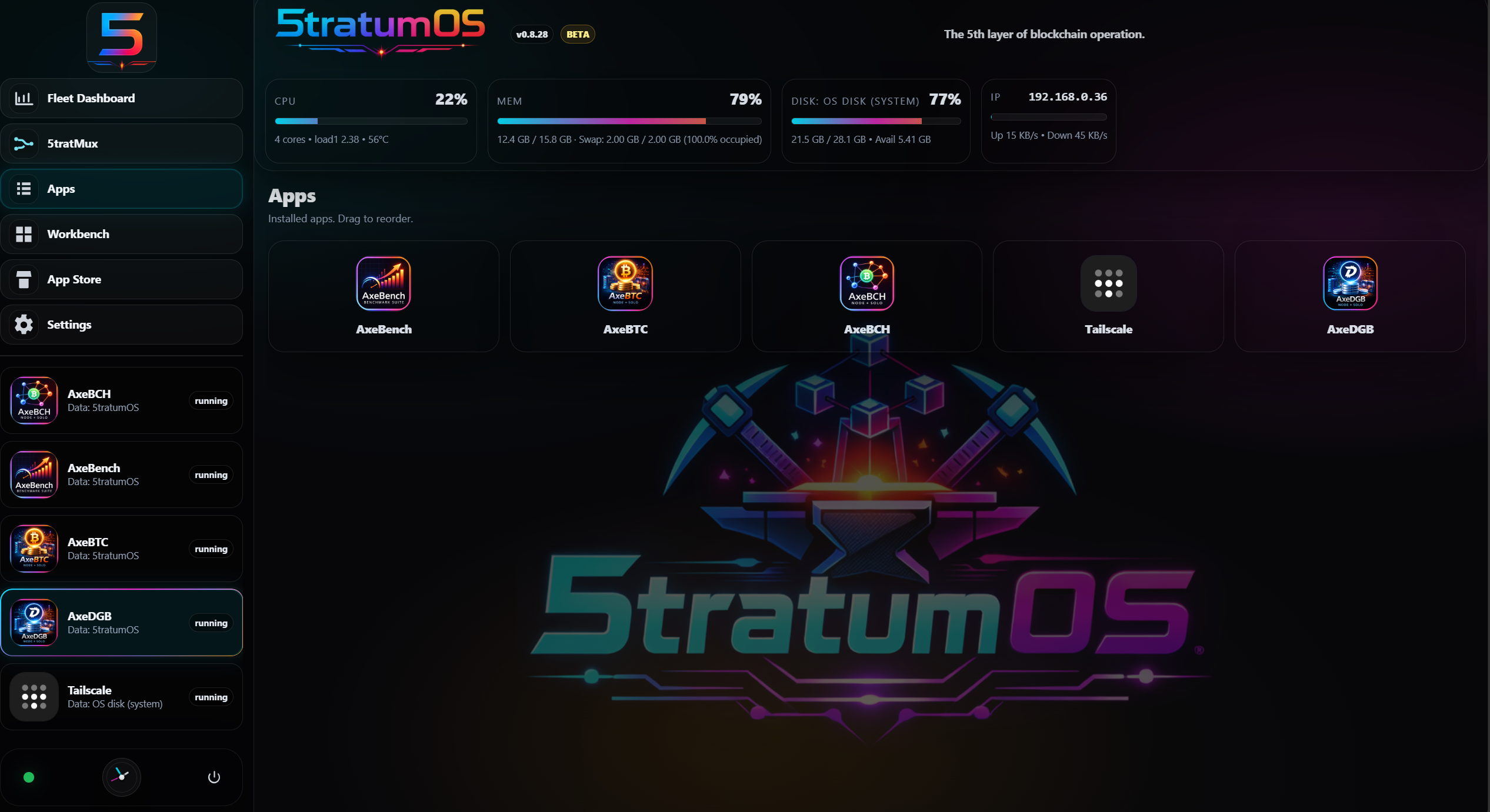
Who lives in my app household?
| App | Job |
|---|---|
| AxeBench ↗ | Discover and group supported miners, and compare benchmarks. The crew’s toolbox. |
| AxeBTC ↗ | Bitcoin node and solo pool. The BTC room in my mining household. |
| AxeBCH ↗ | Bitcoin Cash node and solo pool. This is where the test miner in my fleet screenshot is working. |
| AxeDGB ↗ | DigiByte node and solo pool. The workbench screenshot makes the two easy to distinguish. |
| Tailscale | My access between my own computers. Neither a miner nor another coin pool. |
Fleet Dashboard: one glance, several little stories
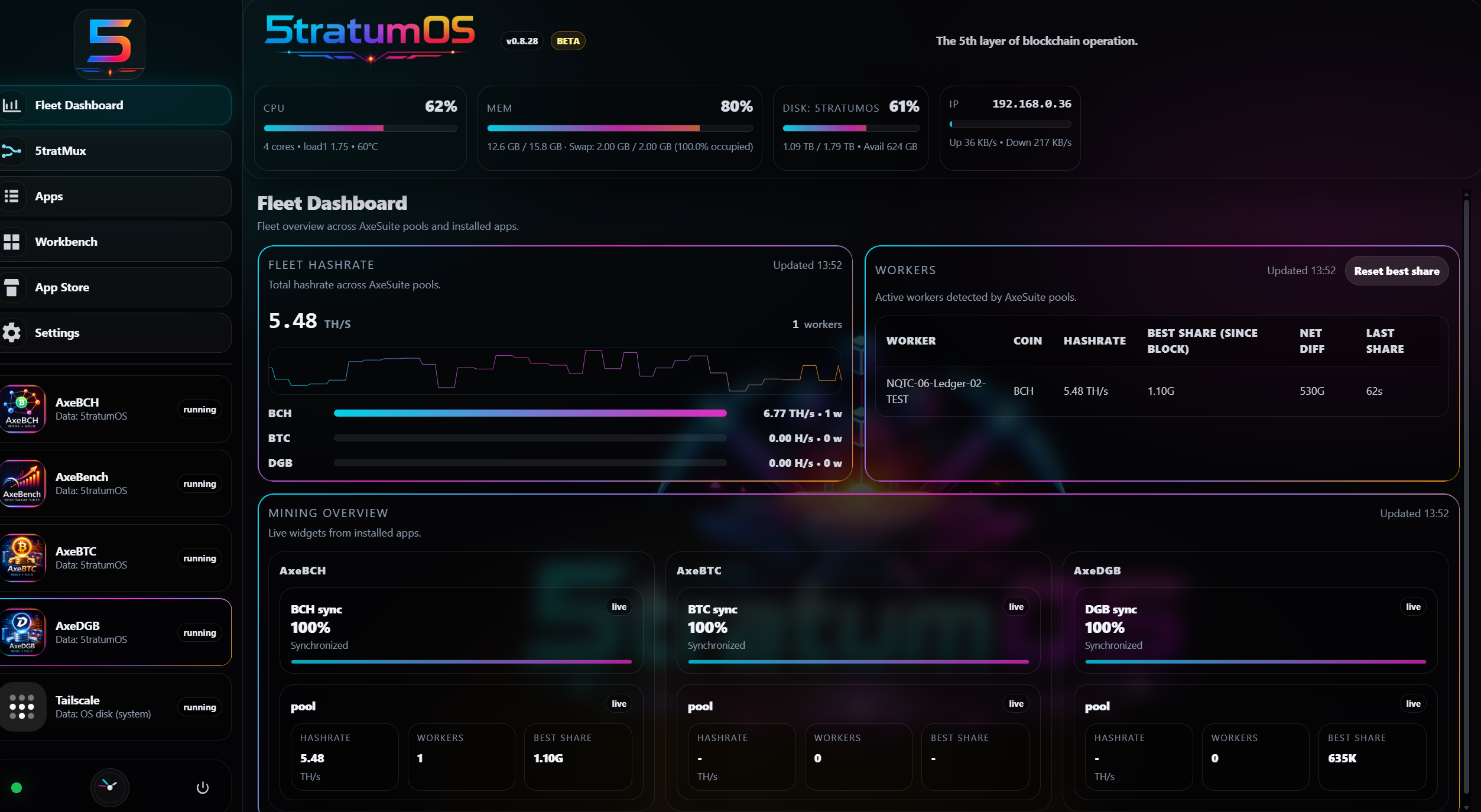
The worker is called NQTC-06-Ledger-02-TEST. Type abbreviation, my TH class, a Bitcoin-inspired name and the unit number: the familiar RastaHash naming system, now wearing a TEST badge. Even after my second cup, I can still tell who is working where.
The coin column says BCH. This screenshot therefore shows Bitcoin Cash mining, rather than Bitcoin mining. The three node panels are synchronised at the same time. A synchronised blockchain and an actively hashing worker are different things: a node can be ready while its pool is still waiting for customers.
Workbench: DigiByte under the bonnet
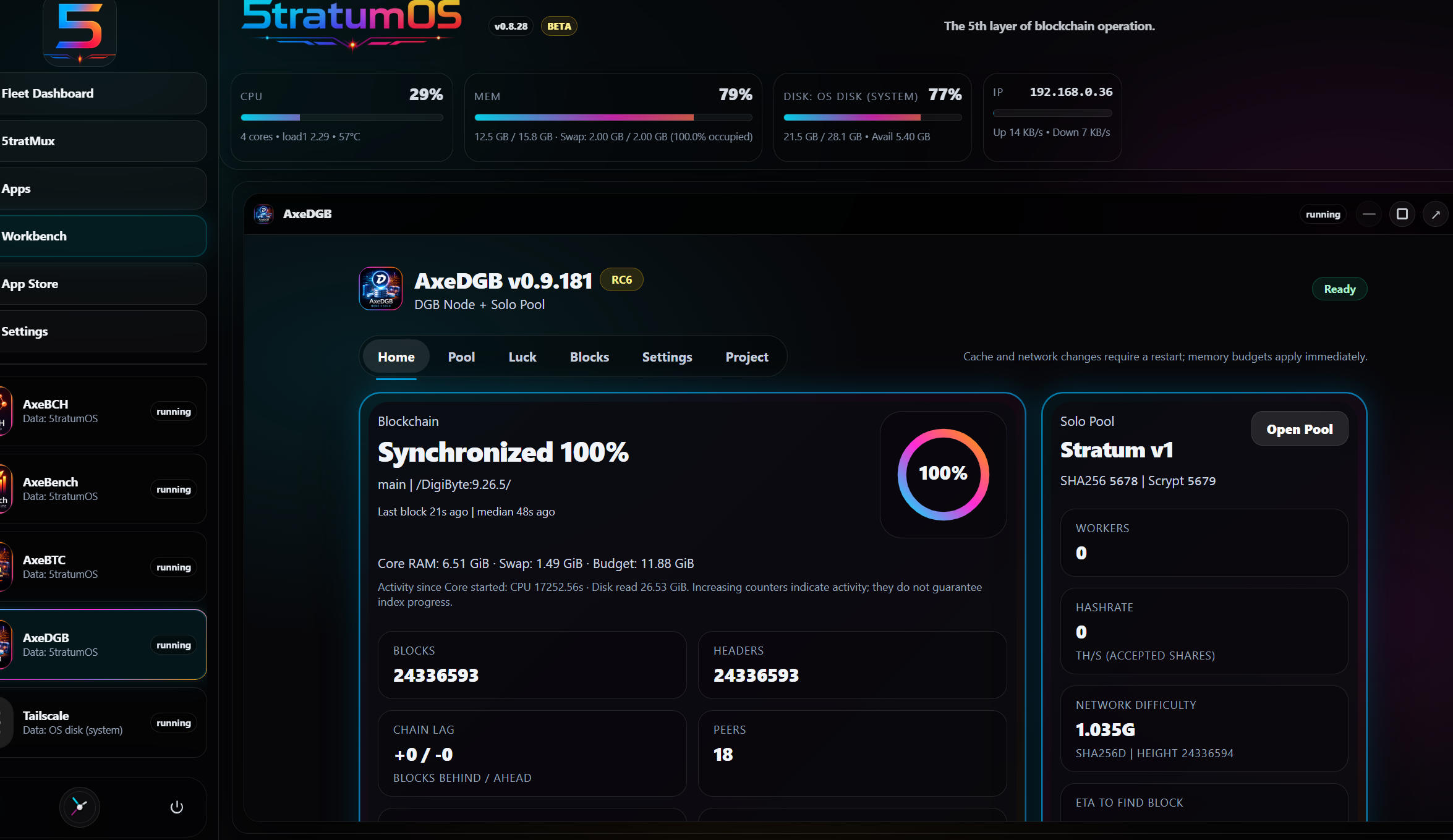
The node shows 100% synchronisation and 18 peers. The pool shows zero workers and zero hashrate. No secret hashes hiding in the background: no miner is active there in this capture. I like having these separate views. The node has done its job; the pool can take a breather.
Three version numbers, no guessing game
5tratumOS is the platform, AxeDGB is the app, and DigiByte Core is the blockchain software inside it. An OS update does not automatically update every app or its core. I check Main and Dev releases separately. A new label on the toolbox does not mean every screwdriver has been replaced.
RAM, swap and an honest glance
My captures show roughly 79–80% RAM usage and the full 2 GB of swap in use. That is a useful observation about this setup, but not proof of a fault or a long-term test. Before another app moves in, I would check responsiveness, available resources and node sync. A colourful household should still leave enough room to walk down the corridor.
My first impression: keeping the crew in sight
I like having app status, nodes and workers in one overview, with the workbench ready for a closer look. The beta badge is part of the picture too: this tour is not a stability guarantee or a complete benchmark. For me, it is an interesting hobby and learning setup with plenty left to explore. Easy vibes, my own nodes, real hashes.
For what changed in the recent updates, see the separate update report.